

NSE6_FMG_AD-7.6






- DESCRIPTION
- VIDEO
- FEEDBACKS
- RELATED NEWS
NSE6_FMG_AD-7.6 Exam Overview
The Fortinet NSE 6 - FortiManager 7.6 Administrator exam tests your ability to configure, operate, and troubleshoot FortiManager. It focuses on the daily work involved in centrally managing multiple FortiGate devices.
Expect operational scenarios involving initial configuration, administrative domains, device registration, policy packages, configuration installation, high availability, FortiGuard services, and troubleshooting.
This is an applied administration exam. Knowing where a setting appears in the interface is useful, but candidates also need to understand how the FortiManager device database, ADOM database, and managed FortiGate configuration interact.
Page Contents
6. Common Preparation Mistakes
8. CertQueen Preparation Materials
NSE6_FMG_AD-7.6 Exam Quick View
| Exam name | Fortinet NSE 6 - FortiManager 7.6 Administrator |
| Exam code | NSE6_FMG_AD-7.6 |
| Provider | Fortinet |
| Time allowed | 70 minutes |
| Number of questions | 30 to 40 |
| Scoring | Pass or fail |
| Score report | Available through the candidate's Pearson VUE account |
| Languages | English and Japanese |
| Delivery | Pearson VUE |
| Recommended experience | Six months to one year of hands-on experience with FortiGate and FortiManager |
The question count can vary, so candidates may have between about 1 minute 45 seconds and 2 minutes 20 seconds per question.
Who Should Take NSE6_FMG_AD-7.6?
The exam is intended for network and security analysts who use FortiManager to administer multiple FortiGate devices from a central platform.
- FortiManager administrators
- Network security analysts
- Firewall administrators
- Security operations engineers
- Managed security service provider engineers
- Fortinet implementation and support specialists
You should have practical experience registering FortiGate devices, organizing them into ADOMs, managing policy packages, installing configuration changes, and investigating failed imports or installations.
Product Versions Covered
| Product | Exam version |
| FortiManager | 7.6.1 |
| FortiOS | 7.6 |
Use documentation and labs that match these versions. Newer FortiManager 7.6 maintenance releases may contain interface or feature changes that are outside the tested baseline.
NSE6_FMG_AD-7.6 Exam Objectives
| Domain | Weight | Main focus |
| Administration | 15% to 25% | FortiManager features, initial configuration, ADOMs, administrator access, backups, migration, APIs, and FortiAnalyzer integration |
| Device Manager | 20% to 30% | Device registration, templates, device groups, FGFM, scripts, revision history, retrieval, and automatic updates |
| Policy and Objects | 25% to 35% | Policy packages, objects, mappings, imports, installations, revisions, locks, and workspace mode |
| Advanced Configuration | 10% to 20% | FortiManager HA, FortiGuard services, firmware management, global ADOMs, and shared policies |
| Troubleshooting | 20% to 30% | Deployment scenarios, registration failures, import and installation errors, database integrity, resource usage, and debug commands |
Skills and technologies covered
- Administrative domains and administrator profiles
- FortiGate registration and FGFM communication
- Policy packages and shared objects
- Configuration imports and installations
- Templates and CLI scripts
- Workspace and workflow modes
- FortiManager high availability
- FortiGuard distribution and firmware services
- System, database, and connectivity troubleshooting
Preparation Priorities
Policy and Objects has the highest published range. Device Manager and Troubleshooting can each account for up to 30% of the exam. These areas should receive most of your preparation time.
- Practice registering devices and placing them in the correct ADOM.
- Work through policy import, policy package installation, validation, and reinstallation.
- Compare the device database, ADOM database, and live FortiGate configuration.
- Review revision history, locking, workspace mode, and workflow permissions.
- Practice diagnosing failed registration, import, script, and installation operations.
- Review HA, FortiGuard services, global policy packages, and firmware management.
A useful lab exercise is to make a policy change, install it to a managed FortiGate, introduce a configuration conflict, and then trace the failure through task history and installation logs.
Common Preparation Mistakes
Studying only the FortiManager interface
The exam includes operational scenarios. Candidates need to know what happens during registration, import, installation, retrieval, and synchronization, not just where the buttons are located.
Confusing the different configuration databases
A common mistake is assuming that the FortiManager device database, ADOM policy database, and FortiGate configuration always match. Learn how to compare them and resolve an out-of-sync condition.
Skipping workspace and locking behavior
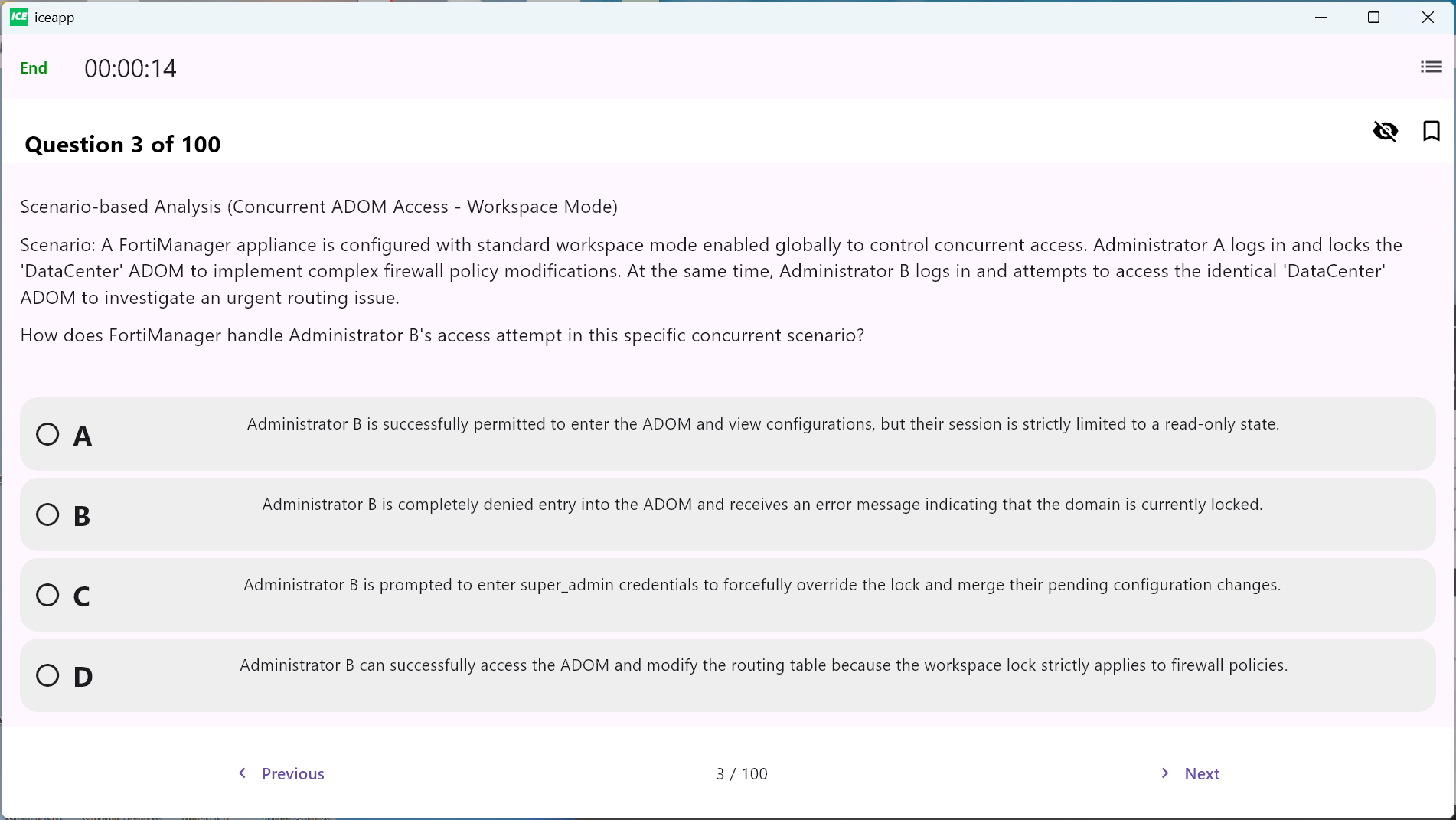
Workspace mode affects how administrators lock, edit, approve, and install changes. Questions may describe several administrators working in the same ADOM.
Using generic troubleshooting answers
Restarting a device is rarely the best first step. Read task history, installation logs, revision information, resource usage, and relevant debug output before choosing a corrective action.
Ignoring version-specific behavior
The tested FortiManager version is 7.6.1. Using only older 7.2 or 7.4 training can leave gaps in features, workflows, and interface behavior.
Free NSE6_FMG_AD-7.6 Sample Questions
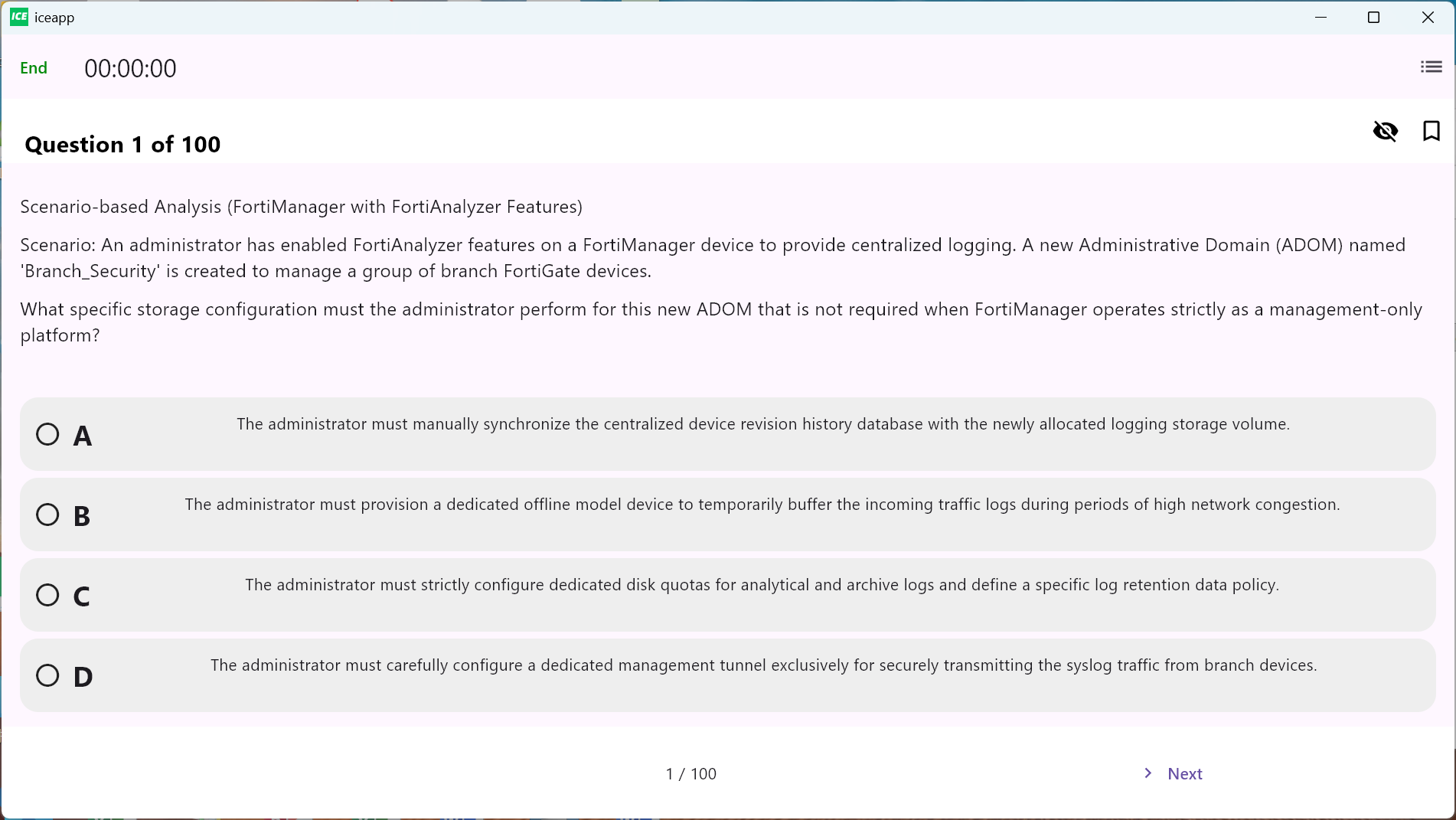
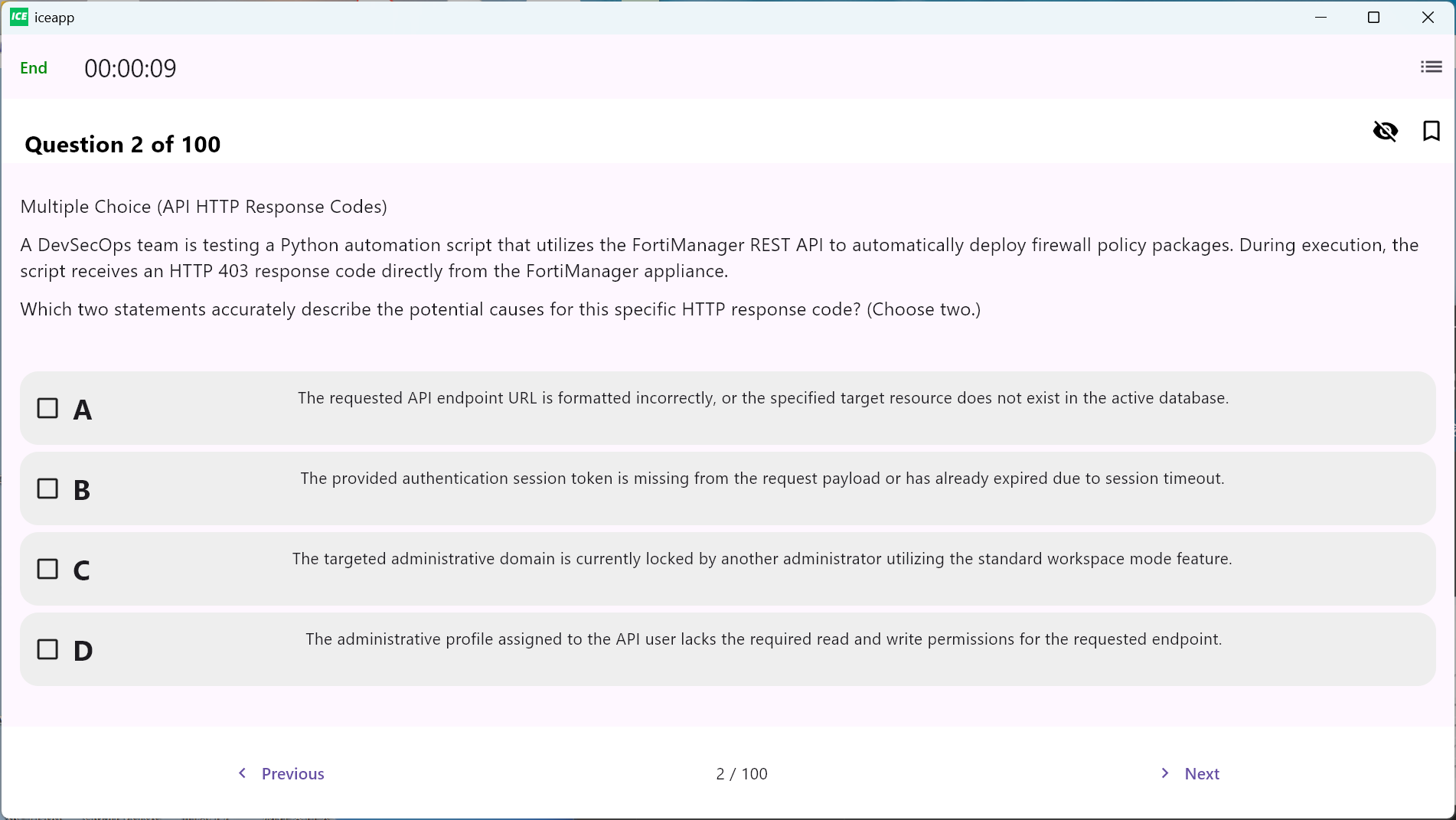
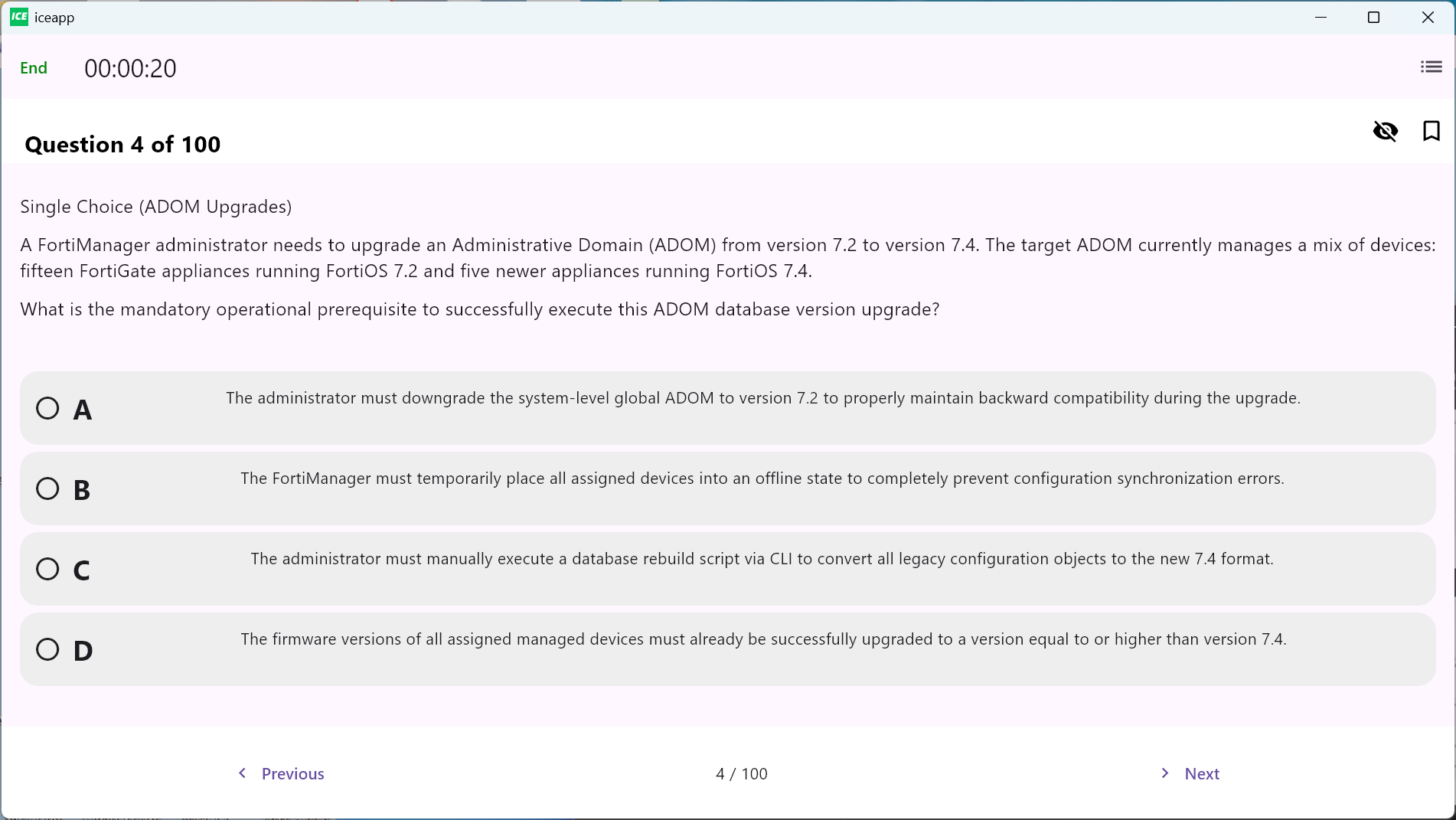
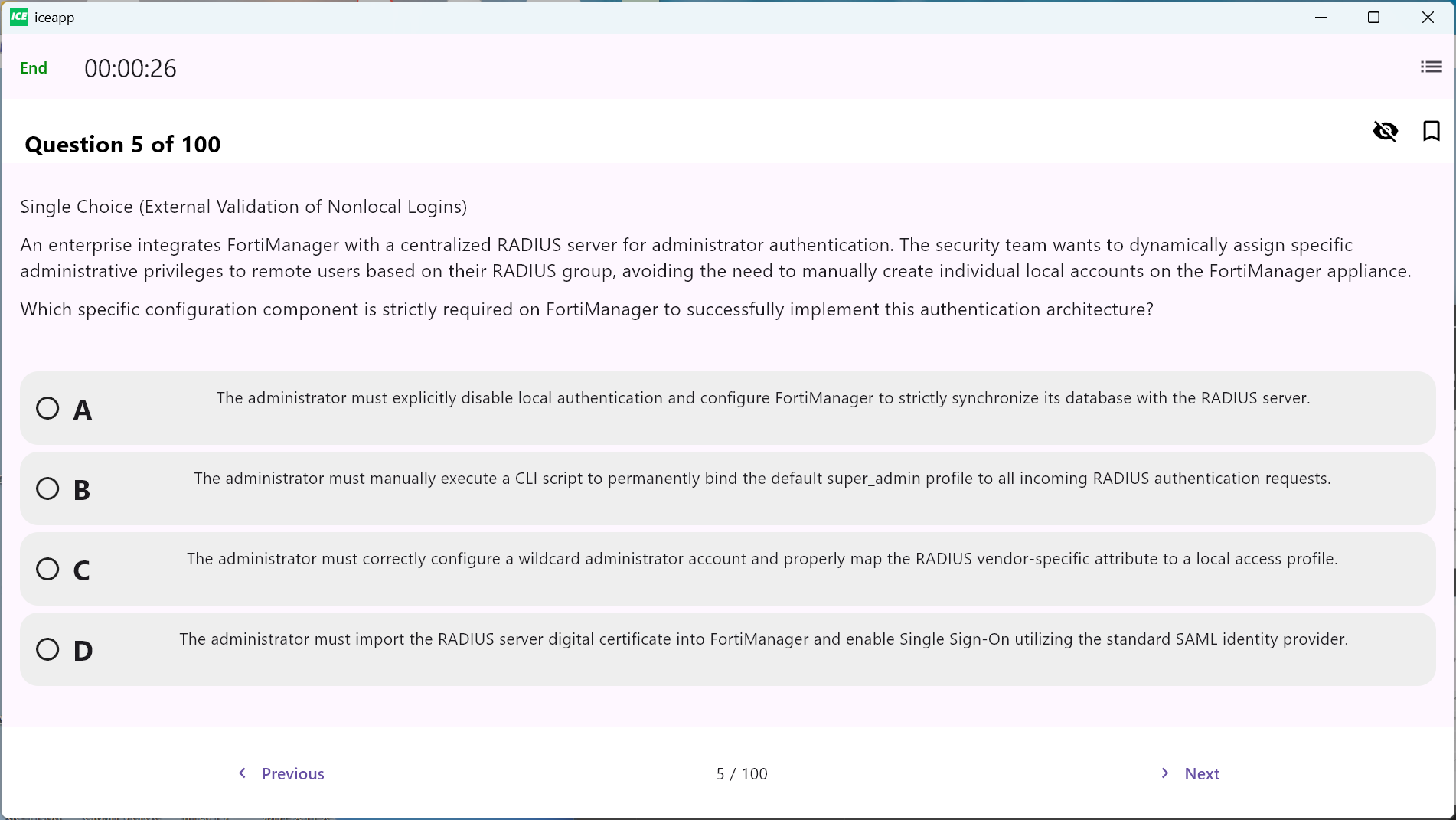
The following gallery is reserved for independently prepared NSE6_FMG_AD-7.6 sample question screenshots. Replace each placeholder image address with the final uploaded image URL.
CertQueen NSE6_FMG_AD-7.6 Preparation Materials
CertQueen preparation materials provide focused practice across the five published exam domains. They are best used after completing the FortiManager 7.6 Administrator course or gaining equivalent hands-on experience.
What is included?
- Questions organized around the published exam domains
- FortiManager configuration and operational scenarios
- Device registration, policy, installation, and troubleshooting coverage
- Answers with concise explanations
- PDF and testing-engine formats
- 12 months of free content updates, with an optional upgrade to 24 months for $10
Start with an untimed test and record errors by domain. After reviewing weak areas in a matching lab environment, use timed tests to improve pacing.
Start Your NSE6_FMG_AD-7.6 Exam Preparation
Disclaimer
CertQueen is an independent preparation provider and is not affiliated with or endorsed by Fortinet. The sample questions are independently prepared and are not copied from the live exam. Preparation materials do not guarantee a passing result.